
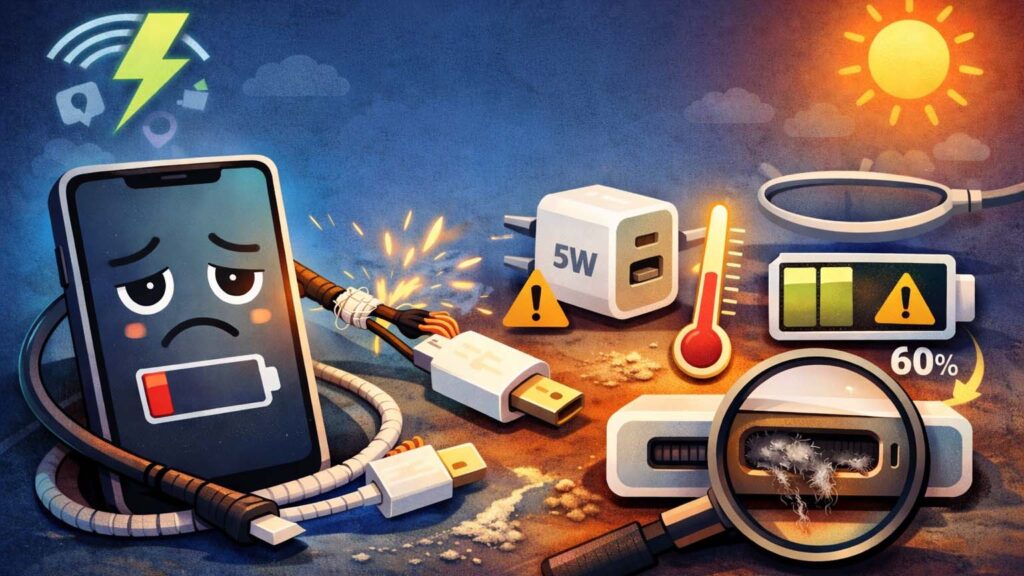
We’ve all been there.
You’re getting ready to head out. You glance at your phone… 12%.
No problem, right? You plug it in, hop into the shower, grab your keys—and come back 30 minutes later.
17%.
That’s it.
In a world full of “super-fast charging” promises and “hyper power” buzzwords, slow charging feels almost personal. You start asking the obvious question:
Why is my phone charging slowly all of a sudden?
Is the battery getting old?
Is that cheap cable you picked up in a hurry to blame?
Or is there a surprising amount of pocket lint quietly living inside your charging port?
Here’s the thing most people miss: slow charging is rarely caused by just one issue. It’s usually a tug-of-war between how much power your phone is getting and how much it’s using at the same time. When that balance tips the wrong way, charging speed drops to a crawl.
In this guide, we’ll cut through the guesswork.
I’ll walk you through the 10 most common reasons your phone is charging slowly—and, more importantly, the simple fixes that can help you get back to 100% without the frustration.
Hardware Check: It’s Usually the Accessories
Before you dive into apps, settings, or battery health, start with the basics.
Look at the physical path electricity takes to reach your phone.
More often than not, the problem isn’t your expensive smartphone—it’s the cheap accessory feeding it power.
1. The Charging Cable: The Most Common Culprit
Charging cables take a beating. They’re bent, twisted, stuffed into bags, and sometimes stepped on. Over time, that wear adds up.
Here’s how a cable slows things down:
2. The Power Adapter: All Chargers Are Not Created Equal
If your charger plugs into the wall, that doesn’t mean it’s doing its job well.
3. The Power Source: Where You Plug In Matters
Even with the right cable and charger, the power source can slow things down.
The Physical Check: The “Hidden” Obstacles
Sometimes, the reason your phone is charging slowly isn’t obvious.
No warning. No error message.
It’s usually a physical blockage or an environmental issue quietly getting in the way.
4. The Dirty Charging Port: Your Phone’s “Belly Button”
Your phone lives in pockets, bags, and backpacks. All of them are basically lint factories.
Over time, that lint gets pushed deeper into the charging port every time you plug in the cable.
5. Temperature Throttling: Heat Slows Everything Down
Batteries hate heat.
And your phone knows it.
To prevent long-term damage, phones automatically slow charging when things get too warm. This safety feature is called thermal throttling.
Software & Usage Check: When Your Phone Is “Eating” the Power
Sometimes the issue isn’t the charger at all.
Your phone is getting power—but it’s also burning through it at the same time. When that happens, the battery percentage barely moves… or worse, goes backward.
6. Using Your Phone While Charging (The Drip vs. Drain Problem)
We’ve all done it.
You plug in your phone and keep scrolling, gaming, or watching videos.
That’s when charging slows to a crawl.
7. “Vampire” Apps Running in the Background
Some apps quietly drain power—even when you’re not using them.
Your phone will charge noticeably faster once those vampires are under control.
8. Software Features (and Bugs) That Slow Charging on Purpose
Sometimes, slow charging isn’t a problem—it’s intentional.
The Internal Check: Is It Time for a New Battery?
If you’ve already swapped cables, cleaned the charging port, and shut down power-hungry apps—but your phone is still charging painfully slowly—the issue may be internal.
Batteries don’t last forever.
After a year or two of regular use, wear and tear starts to show.
9. Battery Health & Natural Degradation
Smartphones use lithium-ion batteries, and every battery slowly degrades over time. It’s normal. It’s unavoidable.
So even with a fast charger, an old battery can’t keep up.
10. How to Check Your Battery Health
You don’t have to guess. Your phone already tracks this.
The Fix: Knowing When Replacement Makes Sense
If your battery health is below 80% or marked as needing service, there’s no real workaround. Settings tweaks won’t help much anymore.
At that point, the best solution is a battery replacement.
It’s far cheaper than buying a new phone—and once replaced, you’ll immediately notice:
Sometimes, the phone isn’t slow.
It’s just tired.
Quick Checklist: How to Speed Up Charging Right Now
In a hurry?
Use this fast-track checklist to squeeze the most charge into the shortest time. These small tweaks can easily cut charging time by 25%–50%.
| Quick Fix | What to Do | Why It Helps |
|---|---|---|
| Use a wall outlet | Skip laptops, power strips, and car USB ports. | Wall chargers deliver stronger, more stable power. |
| Turn on Airplane Mode | Swipe down and tap the airplane icon. | Instantly shuts off cellular, Wi-Fi, and GPS drains. |
| Power the phone off | Turn the phone completely off while charging. | No background activity means all power goes to the battery. |
| Remove the case | Especially thick or rubber cases. | Helps heat escape and prevents charging slowdowns. |
| Stop using the phone | Lock the screen and walk away. | Screen and processor activity steal charging power. |
| Close high-drain apps | Shut down Maps, games, and heavy social apps. | Reduces the “internal load” fighting the incoming charge. |
Conclusion: Getting Back to 100% Without the Frustration
Once you understand why my phone is charging slowly, fixing it becomes much easier—and often costs nothing.
Most of the time, the real problem is:
Once those are sorted, charging speed often improves immediately.
Take a little care of your battery. Keep your phone cool. Use the right accessories.
You’ll not only charge faster—you’ll also extend your phone’s lifespan.
Still wondering why your phone is charging slowly even after trying everything?
Drop a comment with your phone model, and let’s figure it out together.
FAQ
Below are some common questions people ask when searching for why my phone is charging slowly.